Halloween Simulators, Games, and Experiences for 2026
Six free online Halloween games and activities: carve a pumpkin, decorate a yard, build a haunted house, solve gentle puzzles, escape zombies or dare a jump scare. No download needed.

Some Halloween nights call for a beautifully carved pumpkin. Others call for an unreasonable number of skeletons in the front yard. And sometimes you just want a small puzzle or a story that gets you on your feet.
These online Halloween activities give you a little of each. The creative simulators let you linger over lighting, layouts and tiny details. Puzzle boards offer a gentler change of pace. Jump Scare Doors adds quick, unpredictable frights, while Zombie Escape turns up the tension with a five-minute journey to safety. Pick the mood you want, then follow it somewhere fun.
Virtual Pumpkin Carving
Give a pumpkin a personality
A crooked grin, a glowing finish
Virtual Pumpkin Carving starts with a pumpkin that actually feels like a little object on your workbench. Choose a round classic, a tall shape, a wide pumpkin or something wonderfully lopsided. Cut around the lid and scoop out the filling, or skip the preparation and head straight for the face.
A neat stencil is a good starting point, but a ridiculous freehand expression has its own charm. Cut right through the surface for bright eyes and a grin, then use etching or scraping for details that catch the light differently. Undo makes it easy to experiment with a tooth, eyebrow or slightly overambitious flourish.
The best reveal comes when you change the scene. Put your pumpkin on the porch at night and let the candle show through the carving. Colored lighting, slow fades and a spooky flicker give the same face a different character. Try a friendly smile first, then see how mischievous it looks under another light.
Keep several pumpkins in your local collection or export a high-resolution PNG of the finished design. That picture is an easy way to share your creation, whether you made a handsome lantern or the strangest pumpkin in the patch.
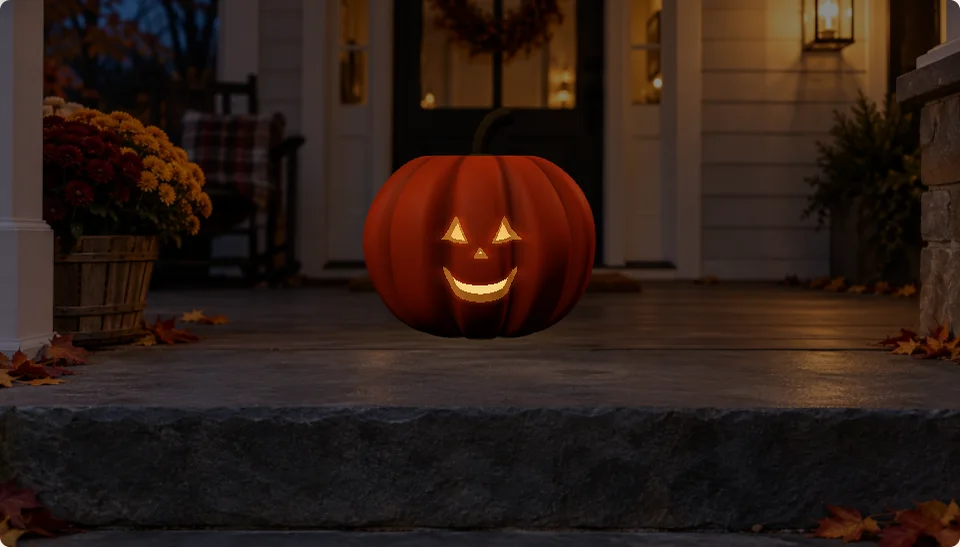
See the creative moment

A stencil turns into a glowing jack-o'-lantern on the nighttime porch.
Halloween Yard Decorator
Turn the whole yard into Halloween
Your front lawn, your spooky rules
Halloween Yard Decorator gives you a whole property to play with. Choose a ranch, a two-story suburban home, a farmhouse or a creepy old house. A starter theme gets the display going; a blank yard leaves every pumpkin, light string and lurking figure up to you.
Place decorations around the lawn and porch, then move, rotate or resize them until the scene feels right. A few jack-o'-lanterns can make a welcoming entrance. A graveyard, ghosts and skeletons can send the same property in a much spookier direction. You can build a tidy display, an over-the-top spectacle or an oddly charming mix of both.
Lighting is where the yard comes alive. Draw strings of lights, change the time of day and add ground fog for atmosphere. Animated figures and timed show cues give you something to stage as well as something to arrange. Leave room along the path so the house feels like a place someone might actually visit.
Press Start Halloween and watch costumed visitors head toward the porch. Street, showcase and walking views let you enjoy the finished display from different angles. Save multiple yards locally, export a backup or create a read-only share link so someone else can visit your Halloween creation.
See the creative moment
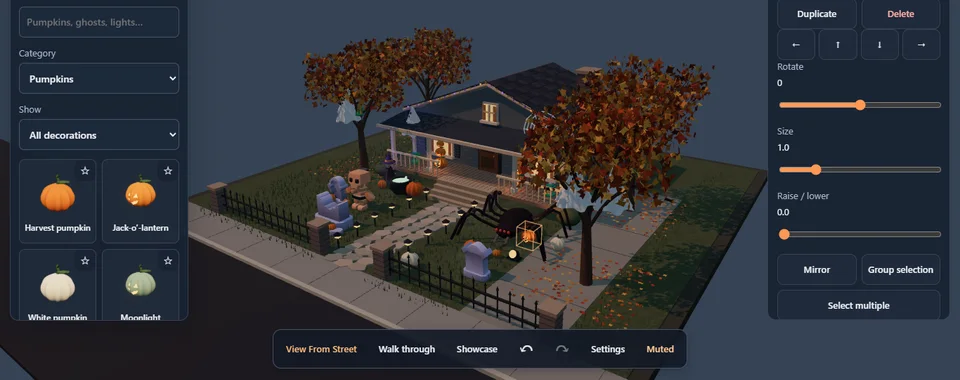
Place a pumpkin, then let the lights and visitors bring the Halloween yard to life.
Haunted House Creator
Build the scare, then walk into it
Think like a haunted attraction designer
Haunted House Creator lets you work on both sides of the door. Explore a ready-made haunt for a quick taste, or start with a template and shape your own attraction. The fun is in deciding what a visitor sees first, what stays hidden and what waits around the next turn.
Draw a connected route, create rooms and arrange the props that set the mood. The map helps you think about the journey; the 3D build view lets you see how the space feels. A corridor can be quiet and inviting before a room changes the atmosphere completely.
Animated actors, lighting, spatial sound and timed scares give each scene more than a static appearance. Try staging a moment along the route, then test it from the visitor's point of view. The guided walk is especially useful for enjoying what you made while you watch the rooms unfold.
A beautiful build still needs a good journey. Walk through, notice where you want to look and go back to tune the layout or timing. Save drafts as you experiment. When the attraction is ready, publish a version and share its playable link so friends can take the walk themselves.
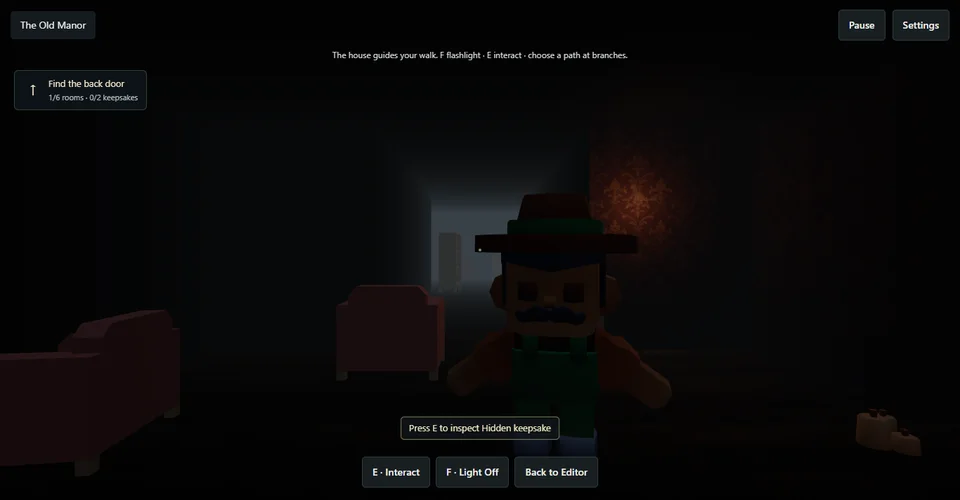
See the creative moment
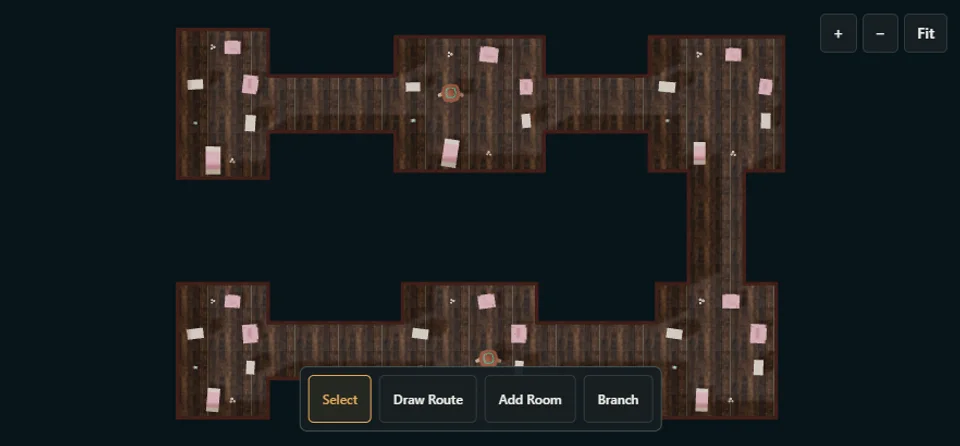
Start with the Old Manor template, then step inside for a guided walk.
Jump Scare Doors
Open a door and dare the jump scare
A slow peek, a sudden surprise
Jump Scare Doors is a free online jump scare game for a quick dose of Halloween suspense. A closed door, a creaking hinge and a gap you can barely see through do most of the work. Open it slowly, pause for a peek, or commit to the reveal.
Drag the handle or use Hold to open. Some doors glide, while others stick, rattle or drift shut. You can close a door and reopen it, but the surprise waiting behind it stays the same. The door's movement never tells you whether a scare is coming.
Across 12 illustrated doors and eight environments, 32 outcomes mix sudden scares with quiet rooms, unsettling fake-outs and funny surprises. The uncertainty is the point: the next door might give you a fright or make you laugh.
Choose Silly for mostly comedy and mild startles, Spooky for suspense and occasional scares, or Brave for more frequent, sharper jump scares. Sound adds creaks and atmosphere; mute, volume and reduced-motion controls let you adjust the experience. Each round stands on its own, so it is easy to pass the phone to a friend and let them open the next door.
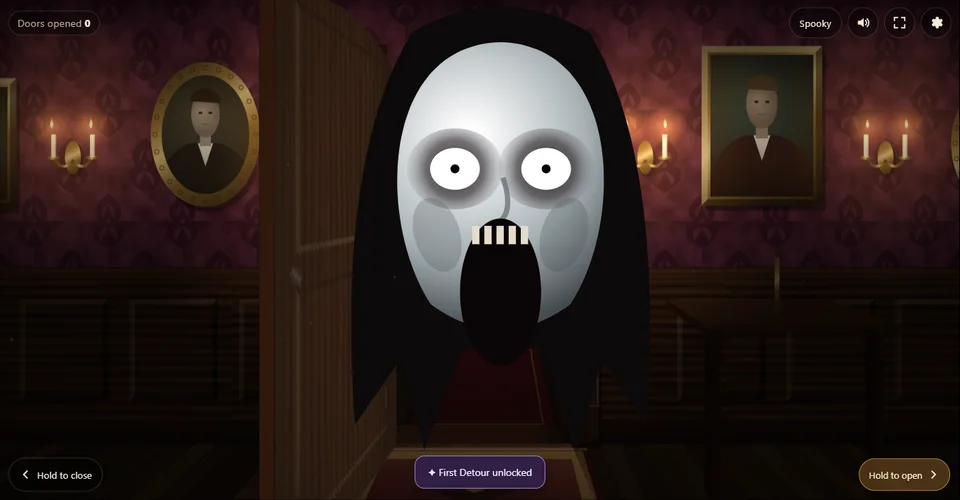
See the creative moment
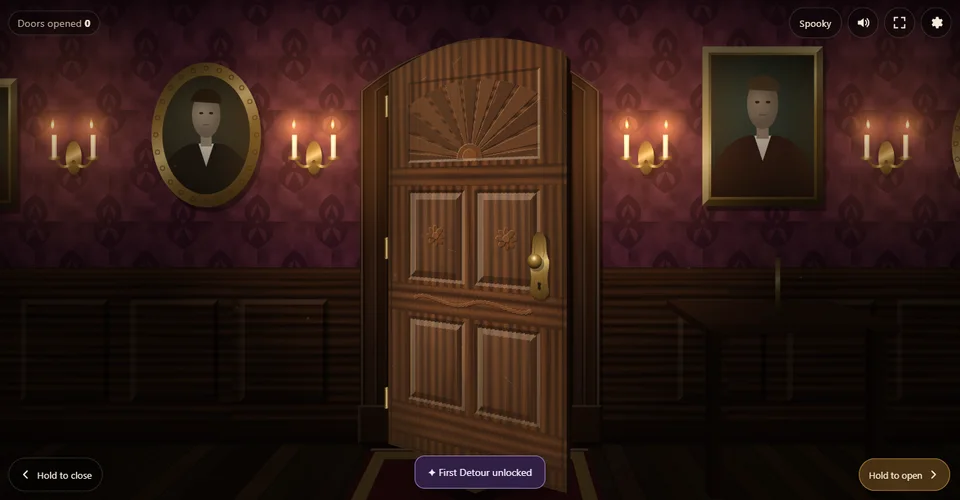
A creaking wooden door opens to reveal the face waiting behind it.
Holiday Puzzle Boards
Take a friendlier Halloween break
Pumpkins, ghosts and a satisfying last piece
Holiday Puzzle Boards has a Halloween collection tucked into a much bigger seasonal puzzle box. Pick Halloween Friends for pumpkins, ghosts, a black kitten and bats, or open the Haunted House board for a friendly little scene. These are cheerful illustrations, with no jump scares waiting behind a piece.
Choose shape boards to match individual illustrated pieces, or picture jigsaws to build a complete image. Four difficulty levels offer 4, 6, 9 or 16 pieces. You can keep the board small for a quick, relaxed activity or add pieces when you want a longer puzzle.
Drag a piece to its place, or tap the piece and then its matching spot. A gentle snap makes a successful match feel clear, and Hint is there whenever you want a nudge. The most satisfying moment is the last piece settling in and the sticker that marks the finished board.
This is the lighter choice for a shared Halloween screen break, especially with young children. Stickers and settings stay in the browser, with optional account progress for families already using Random.Express. And when October's pumpkins have had their turn, the same collection has winter, spring and other themes to explore.

See the creative moment
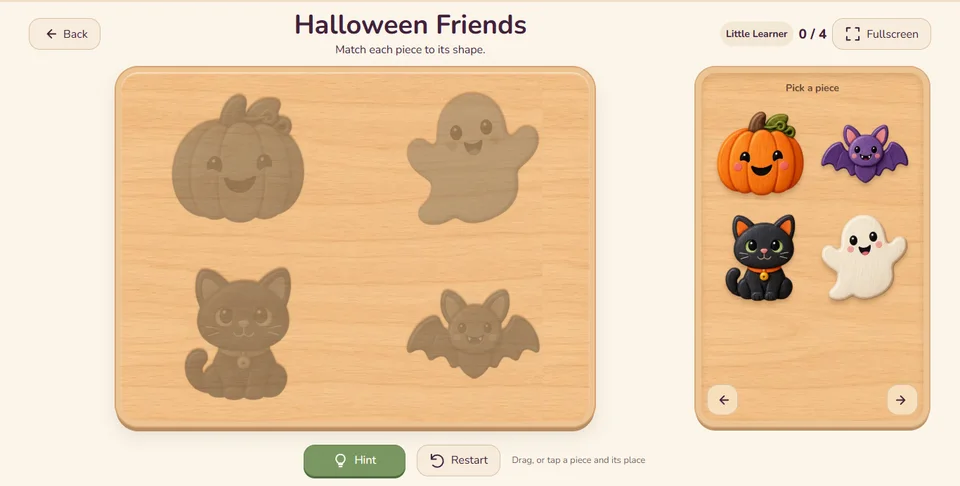
Watch the last pieces click into place on the Halloween Friends board.
Zombie Escape
Make the five-minute run to Shelter 12
A story that gets you moving
Zombie Escape brings a different kind of Halloween energy. Start First Run and follow a five-minute story mission toward Shelter 12. Visible and spoken cues guide low-impact standing movements while the illustrated world carries you through the escape.
Clear a little space around you before starting. Move along with the story, following the standing movement cues as the surroundings change and the zombie threat makes the journey feel urgent.
The HIDE control is always there when you need a pause. It stops the mission so you can take a breather, then resume when you are ready. There is no camera or movement tracking; the experience guides your movements without watching you.
Reach Shelter 12 to bank 500 Survival XP. Progress can stay locally, with optional account saving. Pick this one when you want a more active break and a little story tension after all that careful carving and decorating.
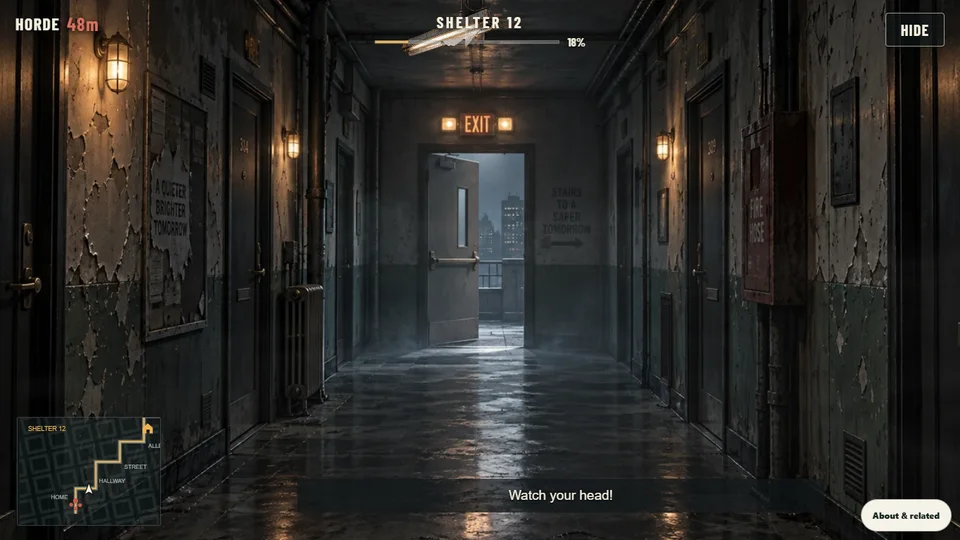
See the creative moment
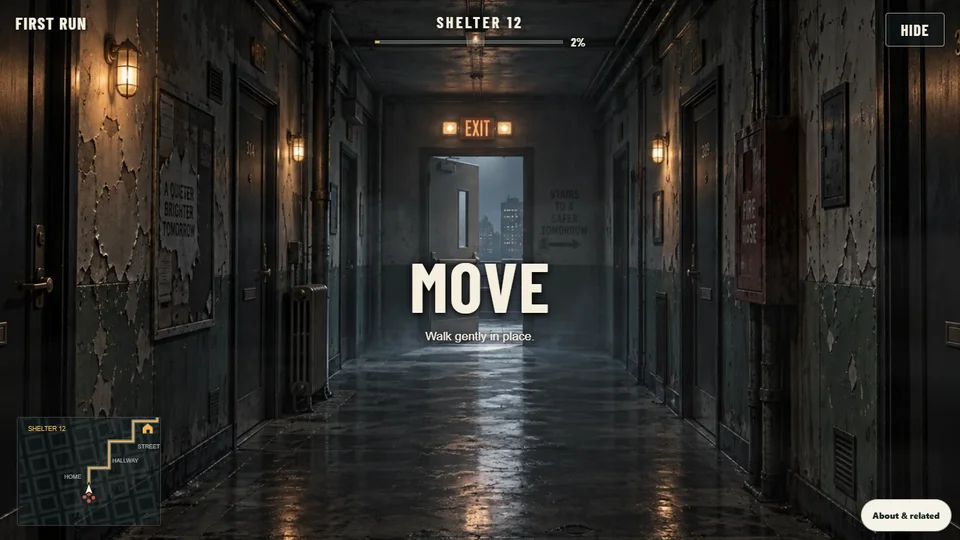
Follow the movement cues as the journey to Shelter 12 gets underway.
Make a night of it
Start with the activity that catches your eye, then try a different mood. A glowing pumpkin makes a good warm-up for a decorated yard, and a finished haunt pairs nicely with a quiet puzzle. Open one more door for a jump scare, share a pumpkin picture, invite someone into your yard or haunt, or send them this collection and let them choose their own Halloween.