Fun things to do online when you’re bored

Make a little music, build something unexpected, or give yourself a quick challenge. Pick an idea below - we’ll show you where to start.

12 ideas to try on Random.Express. Pick one small goal and make it your own.

Make something

Start with a small idea. Leave with something that feels like yours.

01 Piano Studio

Make a tune using five notes

You don’t need a whole keyboard to find a melody. A handful of notes and a little repetition are enough to give your tune a recognizable shape.

  1. Choose five neighboring keys in Piano Studio.
  2. Play a short pattern, then repeat it with one note changed.
  3. Try Record if you want to hear your phrase played back.

Your small goal Make a phrase you can play twice from memory.

Make your tune

Sound on. Play with a mouse, touch, or the computer-key mappings shown on the keys.

Piano Studio · Random.Express

02 Block Buddies Builder

Build a tiny character from blocks

Start with a handful of blocks and see what personality appears. A tall stack, a broad little body, or one unexpected decoration can turn simple shapes into a character.

  1. Choose a buddy profile, or use Add buddy to create one.
  2. Choose a building world and drag blocks together into a simple character.
  3. Add a decoration or change the shape until it feels like your own.

Your small goal Build a character and give it a name.

Build your character

A playful building activity designed for younger builders. Drag and snap blocks with a mouse or touch.

Block Buddies Builder · Random.Express

03 Garden Daydream

Plant a garden around one color

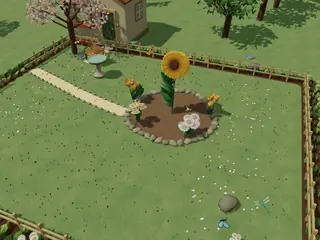
Give yourself one gentle design rule: pick a color and make a small corner around it. A few carefully placed flowers can feel more personal than filling every space.

  1. Choose Seeds and pick a flower you like.
  2. Tap or click clear soil to plant a small group.
  3. Use Water to help it grow, then add a contrasting plant or decoration.

Your small goal Create one little patch you like looking at.

Plant your garden

Tap or click to plant. Requires working 3D graphics; your garden saves in this browser.

Garden Daydream · Random.Express

04 Virtual Pumpkin Carving

Carve a pumpkin with an unusual expression

Forget the standard triangle-eyed grin. Try a surprised face, a sleepy smile, or a wonderfully lopsided monster, then see what changes when you light it.

  1. Choose a pumpkin and open the carving tools.
  2. Cut a face with one unexpected feature, or start from a stencil.
  3. Light the pumpkin and look at the finished expression.

Your small goal Make a face with a personality you can name.

Carve your pumpkin

Use the carving controls with a mouse or touch. No real tools or cleanup needed.

Virtual Pumpkin Carving · Random.Express

Try a challenge

Give yourself a target. Try once, notice something, then have another go.

05 Paper Airplane Thrower

Improve your next paper-plane flight

A better flight starts with noticing what happened on the last one. Change one thing at a time instead of throwing harder and hoping.

  1. Pull back and release to launch your first plane.
  2. Watch its path and use the steering controls shown in the game.
  3. Try again with a different launch and compare the flights.

Your small goal Make your second attempt more controlled than your first.

Launch a plane

Follow the on-screen launch and steering controls. Sound is optional.

Paper Airplane Thrower · Random.Express

06 Free Throw Challenge

Find your rhythm at the free-throw line

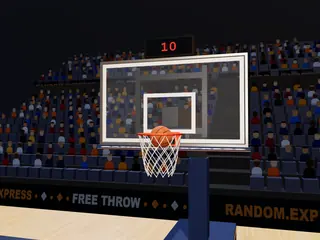
You don’t need a full match to give yourself a target. Take a few practice shots, notice where the ball lands, and adjust the next one rather than repeating a miss.

  1. Choose Practice and press Play.
  2. Read the breeze, then drag or swipe upward from the ball to shoot.
  3. Adjust your aim or power after each shot and try again.

Your small goal Make three baskets during your practice session.

Try your aim

Mouse, touch, or keyboard. With a keyboard, aim with the arrow keys and hold then release Space to shoot.

Free Throw Challenge · Random.Express

07 Rowan's Flag Quest

Learn five flags you didn’t recognize

Give unfamiliar flags a second look. A distinctive symbol, stripe pattern, or color combination can make one easier to remember than a country name alone.

  1. Open Rowan’s Flag Quest and enter an explorer profile.
  2. Work through the flag activities and note five unfamiliar flags.
  3. Look at each design again, then try recalling its country.

Your small goal Recognize five more flags than when you started.

Discover five flags

No countdown timer. Use your explorer profile to keep track of your learning.

Rowan's Flag Quest · Random.Express

08 Hardest Words to Type

Test yourself on awkward words

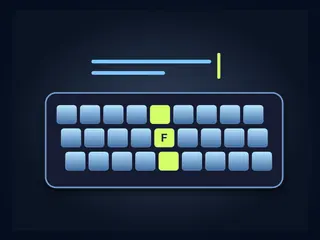
Everyday typing has familiar rhythms. These real English words interrupt them. Start carefully and see whether accuracy improves when you repeat the test.

  1. Focus the typing area and type to begin.
  2. Use Space to submit each word and Backspace to correct the current one.
  3. Read your result, then restart and aim for fewer mistakes.

Your small goal Finish a test, then improve your accuracy on the next.

Test your typing

Best with a physical QWERTY keyboard. The challenge is built around its finger movements.

Hardest Words to Type · Random.Express

Explore something

Follow a question instead of a feed. You only need one discovery.

09 Museum Walk

Find a painting you’d hang at home

A museum visit can start with a personal question rather than an art-history lesson. Look for a color, scene, or strange detail you’d enjoy seeing every day.

  1. Enter Museum Walk and follow the movement controls.
  2. Stop at an artwork that catches your eye and inspect it.
  3. Compare it with another painting before choosing your favorite.

Your small goal Pick one painting and explain what drew you to it.

Visit the museum

A 3D gallery with movement and artwork inspection. A larger screen makes details easier to examine.

Museum Walk · Random.Express

10 Solar System Explorer

Compare two very different planets

Choose a rocky world and a giant planet. Seeing them in the same explorer makes differences in size, motion, and appearance easier to notice.

  1. Open the explorer and select a planet.
  2. Read its information, then select a contrasting planet.
  3. Change the time controls and watch how their orbits differ.

Your small goal Find three differences between your chosen worlds.

Explore the planets

Use the planet and time controls. Pause the motion whenever you want a closer look.

Solar System Explorer · Random.Express

11 Gemstone Atlas

Find out what gives a gemstone its color

A gem’s color is a starting point for a story about chemistry and the Earth. Pick a photograph you like, then find out what is happening beneath its surface.

  1. Choose a gemstone from the atlas.
  2. Read its color and chemistry information.
  3. Compare it with a second stone in a similar or contrasting color.

Your small goal Explain one gemstone’s color in your own words.

Open the gemstone atlas

Photo-based exploration and reading. Sound isn’t needed.

Gemstone Atlas · Random.Express

12 Optical Illusion Lab

See whether an illusion still fools you

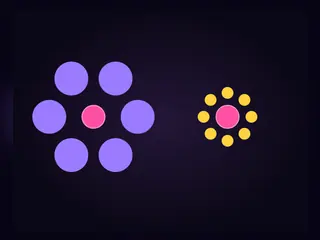
Knowing a trick and seeing through it aren’t always the same thing. Try an illusion, read why it works, and return to it with that explanation in mind.

  1. Start the tour or choose an illusion in Optical Illusion Lab.
  2. Follow its viewing instructions and try the available controls.
  3. Read the explanation, then look again.

Your small goal Find one illusion that still surprises you after you understand it.

Try an illusion

Some illusions use movement. Use the available pause controls if you prefer a still view.

Optical Illusion Lab · Random.Express