A small guide to online fidget games
What are online fidget games?
Online fidget games are browser experiences built around small, repeatable actions: tapping something that pops, dragging something that stretches, or holding a button to build a swirl. You move, the toy responds, and you can try the same action a little differently. The attraction is often the interaction itself: the shape of a squeeze, the rhythm of a row of pops, or the way two colors blend together.
A digital fidget gives your pointer or finger something immediate to do. Some experiences are open-ended, so you can explore an action without following a sequence of levels. Others add a short challenge with a clear finish. Choosing the right one starts with that difference: do you want to keep experimenting, or do you want a small result to work toward?
The games in this collection give those actions different personalities. There are floating balloons, a soft-serve cone you shape, glossy slime you can knead, and collectible squishy toys. Open a game from the choices above, try its basic gesture, and switch when another interaction sounds more appealing.
Fidget games for adults: choose your own pace
Fidget games for adults can be as simple or as structured as you want. A quiet few minutes between tasks might suit a toy with no score. At another moment, a short round with a visible result may be more engaging. Look at the controls and pacing rather than judging an experience by its bright colors or playful subject.
Slime Mixer suits open-ended experimentation. Stretch the same blob slowly, pull it farther in another direction, then add a color and knead it through. You can spend your time exploring how it moves instead of trying to complete a level. A saved, named creation gives you something specific to return to.
Squisharium combines a collection with a tactile playground. Opening a pod gives you a toy to discover; afterward, the toy becomes something to squeeze, stretch, rotate and toss. The daily opening allowance applies to discovering new toys. You can keep playing with the ones already in your collection.
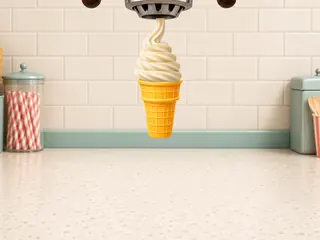
Perfect Swirl gives a small gesture a finish line. Hold to dispense, move the cone as the layers build, then release to finish the curl and see the result. It is a good choice when you enjoy adjusting your next attempt after a short scored round.
Choose a pace you can comfortably follow. You might repeat a slow gesture for a while, make one creation, or play a single round. There is no need to work through every game in the collection in order.
Free fidget games with no download
You can play these fidget games online for free in a compatible browser. Follow an experience link and begin with its on-screen controls; there is no game download to install. The collection is useful when you want to try an interaction first and decide for yourself whether you enjoy it.
You can start without an account. Optional accounts support features such as syncing collections or saved creations in experiences that offer them. If you just want a quick visit, open a game, try the first action, and explore its controls before deciding whether you want to save anything.
Squisharium has a daily allowance for opening new pods, with more openings available through a free account. Once you have discovered a toy, you can revisit it in the Collection Book and continue playing after your new openings are used. This makes it worth trying the playground as well as the unwrapping.
Keep an internet connection available while opening the games and loading their assets. On a shared device, check what you want to leave saved in the browser. If you want to return later, bookmark the experience you enjoyed so you can go straight to that action next time.
Find a satisfying interaction
A satisfying fidget game usually begins with a gesture you want to repeat. Popping is quick and distinct: each tap or swipe produces a small event. Stretching is continuous: the shape changes as your finger or pointer moves. Holding and releasing makes timing part of the action. Try choosing by one of those gestures before choosing by the artwork.
Balloon Popper offers several ways to pop. Pop Wall puts the action into a repeatable arrangement you can sweep across, while Free Pop lets balloons move through the sky. Zen takes a slower pace; Frenzy adds a clock. If you are looking for bubble-wrap-style popping, start with Pop Wall and experiment with separate taps and longer swipes.
Slime Mixer turns movement into shape. A short pull and a long pull create different strands; tapping pokes the surface, holding squishes it, and a fling can send it into a splat. Adding glitter, charms or a new color changes what you are working with. Try one change at a time so you can see what each gesture does.
ASMR Studio is the choice when listening is the point. Tap, brush, crinkle and type around a binaural dummy-head mic, and the sound follows your finger from one ear to the other. Auto ASMR plays hands-free sessions if you would rather just listen. Headphones make the biggest difference, and a low volume works best.
Use the comparison below to pick a first action. You can follow a link directly to the game, then use its own mode chooser or controls to reach the suggested starting point.
Play on a phone, tablet or computer
The linked experiences offer touch controls as well as desktop input. On a phone, a tap is a natural way to test a small action, and a drag is useful for shaping or stretching. On a computer, the pointer gives you room for longer movements. Start with the controls shown inside each game; some also provide keyboard actions.
For a first touch session, give the play surface a little space. Make one deliberate tap or drag before adding faster movements. If a game has an opening menu, choose a mode and wait for the play surface to appear. Then try a short movement and a longer one to see how the toy reacts.
Perfect Swirl uses a hold-and-drag action with a mouse or touchscreen. Keep holding while building the layers, then release when you want to finish. That deliberate ending makes it different from a toy you can keep stretching indefinitely.
Use sound in a way that fits where you are playing. Visual toys let you follow changes in movement, shape and color even when you prefer a quiet session. Check the sound control inside the experience before starting in a shared room. If listening is the main activity you want, choose a sound-focused experience when you have a comfortable place to hear it.
Make a small break your own
A useful way to begin is to choose one action and one small experiment. Pop a row with individual taps, then try a swipe. Stretch something slowly, then change direction. Build a broad soft-serve base and see what happens when you make the next layer narrower. You get a clearer sense of a toy by changing one thing at a time.
There is no required session length. You can stay for a single round, return to a saved creation, or move on after trying a new gesture. When you like an experience, use its own saving or collection tools where available and bookmark its page for your next visit.
If you want more variety after these online fidget games, use the other collection links at the end of the page. For now, the quickest starting point is the action that caught your attention: pop, squish, stretch or swirl.
 Random.ExpressBrowse category →